

Branded guest Wi-Fi login for your venue
Greet every guest with a login page in your brand, on your own domain, before they get online.
Choose how guests sign in, from one-click access to email or SMS verification, vouchers and payment.
Works with the Wi-Fi hardware you already have, and runs on infrastructure you control.
What is a captive portal?
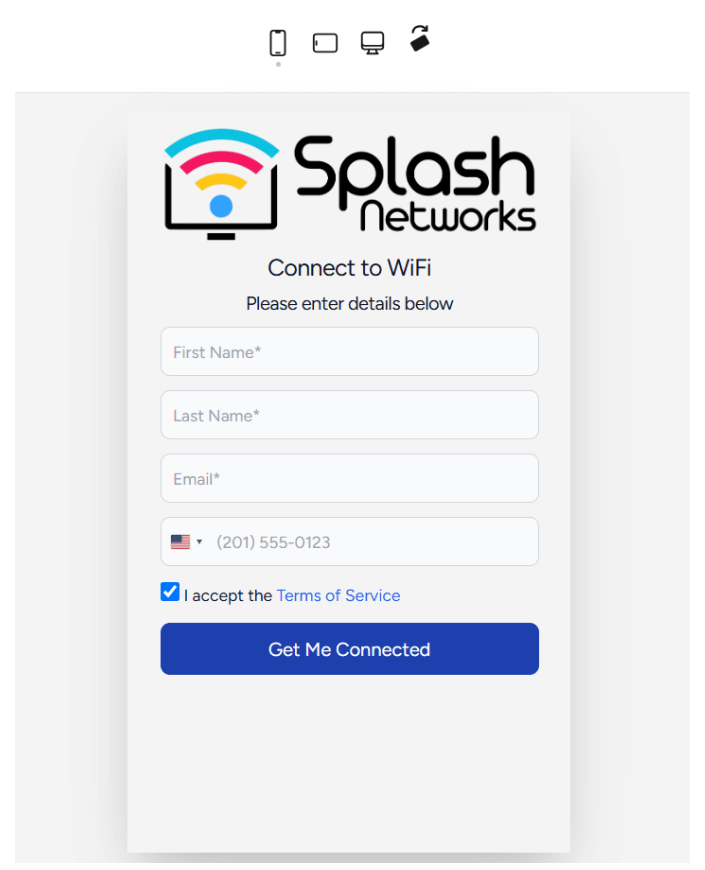
A captive portal is the web page guests see when they join your Wi-Fi, before they can access the internet. It turns a plain network connection into a branded first impression, a secure sign-in step and a source of customer data.
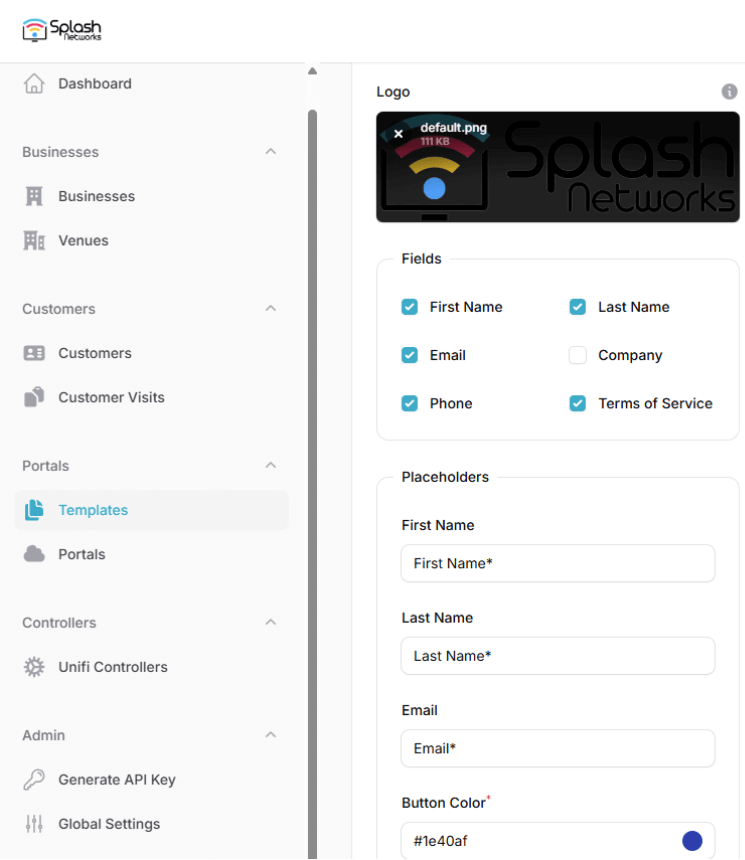
Design the portal and preview it live on phone, tablet and desktop, in portrait or landscape.
Choose which fields to ask for and change the logo or sign-in flow in a few clicks.
Sign-in flows for every venue
Choose how your guests get online, and change it whenever you need to.
Click-Through
Guests accept your terms and get online with a single click.
Email Verification
Guests confirm their email address with a one-time code.
SMS Verification
Guests confirm their phone number with a one-time code sent by SMS.
Payment
Charge guests for Wi-Fi access before they connect.
Vouchers
Hand out voucher codes that guests enter to get online.
Form Submission
Ask for the details you need, such as name, email or phone number, with a custom form.
Shared Password
Give all your guests one common Wi-Fi password.
Username & Password
Individual accounts for each user, such as members, staff or residents.
Everything you need for guest Wi-Fi
Your Brand, Your Domain
Host the portal on your own domain or sub-domain, with your logo, colors and sign-in fields.
Surveys
Run surveys on your portal and hear directly from your guests.
Analytics
Track customers and visits across your venues in real time from the dashboard.
Reports
Get regular reports about your customers and visits, export data as CSV or pull it through the API.
Automations
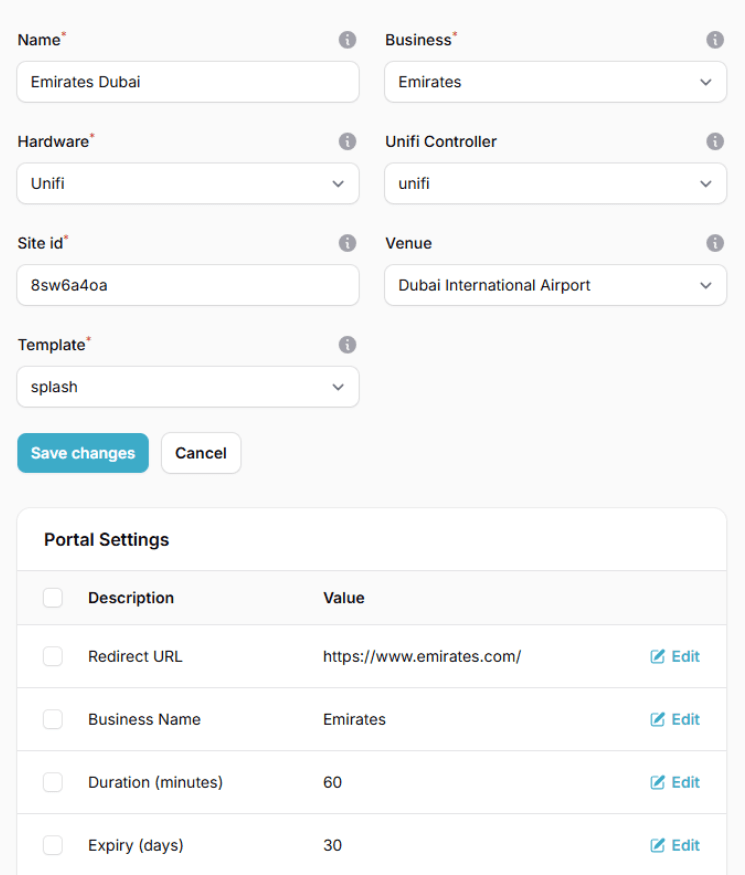
Set up actions that run on a trigger. For example, when a new customer registers, automatically email them (or your admins) using one of your templates.
Multi-Tenancy
Create multiple teams, each with access only to their own portals and customer data.
Time & Volume Quotas
Limit how long or how much guests can use your Wi-Fi, where your hardware supports it.
API Integrations
Connect your SMS, email, payment or marketing provider. We're open to adding new integrations.
Works with the equipment you already have
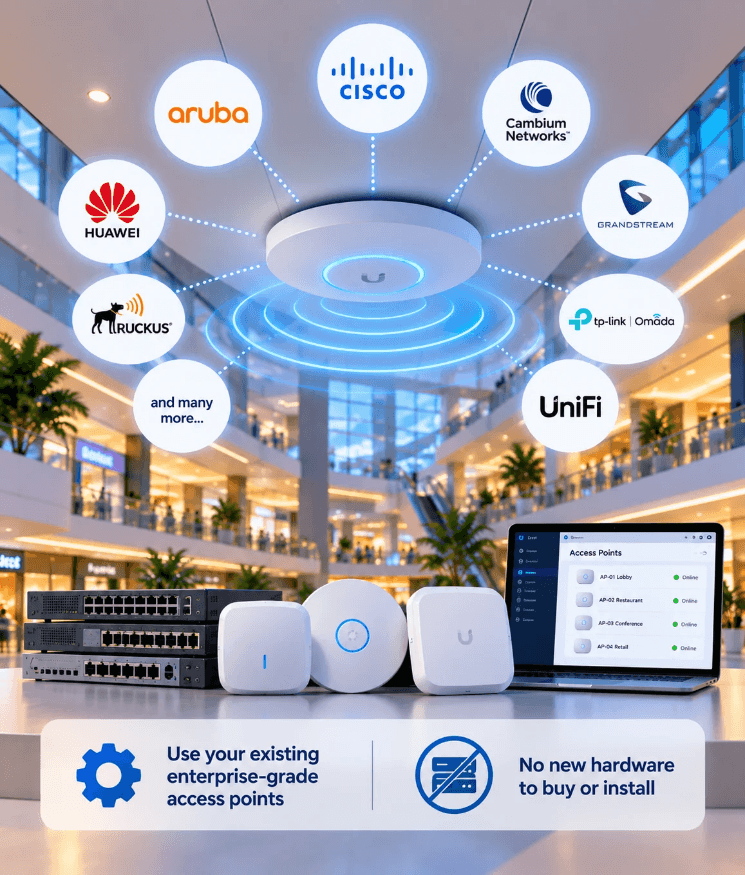
Integrates with almost any access point or controller that supports an external captive portal, including Aruba, Cisco, Ruckus, TP-Link, UniFi and many more.
Manage portals across all your venues and hardware from a single interface.
Not sure about your equipment? See the full list of supported vendors
Your Data Stays Yours
The portal is hosted on your infrastructure. After handover, not even our team can access your customers' data.
Self-Hosted
Run the portal on your own cloud server or on premises to meet compliance and data-security requirements.
Role-Based Access Control
Give each admin the right level of access, from Super Admin to read-only Viewer.
Companies all over the world are using our products and services





























Frequently Asked Questions
Common questions about our Wi-Fi captive portals.
What is a Wi-Fi captive portal?
It's the web page guests interact with before they can access the internet on your Wi-Fi. It adds security, branding and a way to engage with your visitors.
Will it work with my Wi-Fi equipment?
Almost certainly. We integrate with almost any device that supports an external captive portal, including Aruba, Cisco, Ruckus, TP-Link, UniFi and many more.
Do I need a domain?
Yes. A domain (or sub-domain) is needed for the portal's TLS certificate, so guests don't see browser security warnings.
Can I send automatic emails to new guests?
Yes. Automations let you set up actions that run on a trigger. For example, when a new customer registers, the portal can email them (or your admins) using one of your templates.
Where is the portal hosted?
On a server you control, typically a cloud server from a provider like DigitalOcean or AWS for less than $15/month, or on premises.
If you'd rather we host and manage it for you, get in touch and we'll quote based on your requirements.
How secure is my customers' data?
The portal is hosted on your infrastructure, so you stay in control of data privacy and compliance.
After project completion and handover, even our team won't have access to your customers' data.
What if I'm not satisfied?
We offer a full money-back guarantee if our products or services don't meet your requirements.
Have more questions? Ask your question here
Single Upfront Payment
Buy once, use forever. No recurring fees or renewals
Essentials
The perfect starting point for small businesses.
1 Branded Portal
Custom Domain Name
Database Access
30 Day Support
Plus
Popular
Ideal for growing businesses needing advanced features.
Everything in Essentials and,
2 Portals
Any 2 features, like:
- Bandwidth rate-limiting
- SMS/Email verification
Enterprise
Comprehensive solutions for large organizations.
Everything in Plus and,
5 Portals
Multi tenancy
Unlimited features
90 Day Support
To purchase additional portal licenses, please contact our team for flexible pricing options. We offer attractive volume-based discounts tailored to your deployment size and requirements.
Accepted Payment Methods




Money Back Guarantee
Receive a full refund if our products or services do not meet your requirements
Secure Payments
All transactions are processed securely using Stripe